What Is APS? A Guide to Advanced Planning and Scheduling

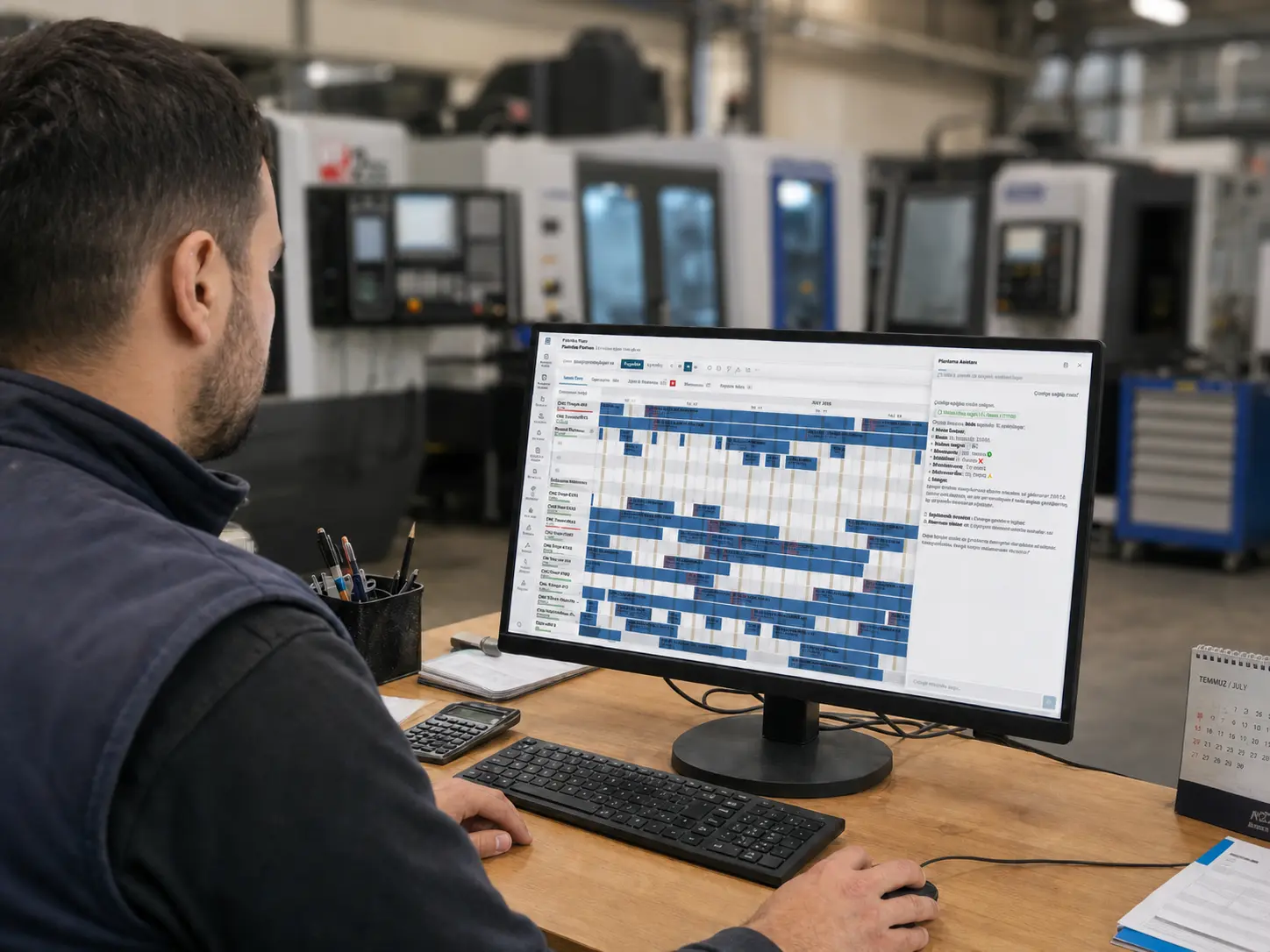
In a factory, planning often looks good on paper.
Orders are known. Work orders are open. The ERP screen shows what needs to be produced. There may even be a weekly plan prepared in Excel.
Then production starts.
A machine runs longer than expected. A mold is being used on another line. An operator shift has changed. Material appears to be in stock, but it has not passed quality approval. Sales adds another urgent order. The planning team opens Excel again, moves rows around, and recalculates due dates.
This is exactly where APS comes in.
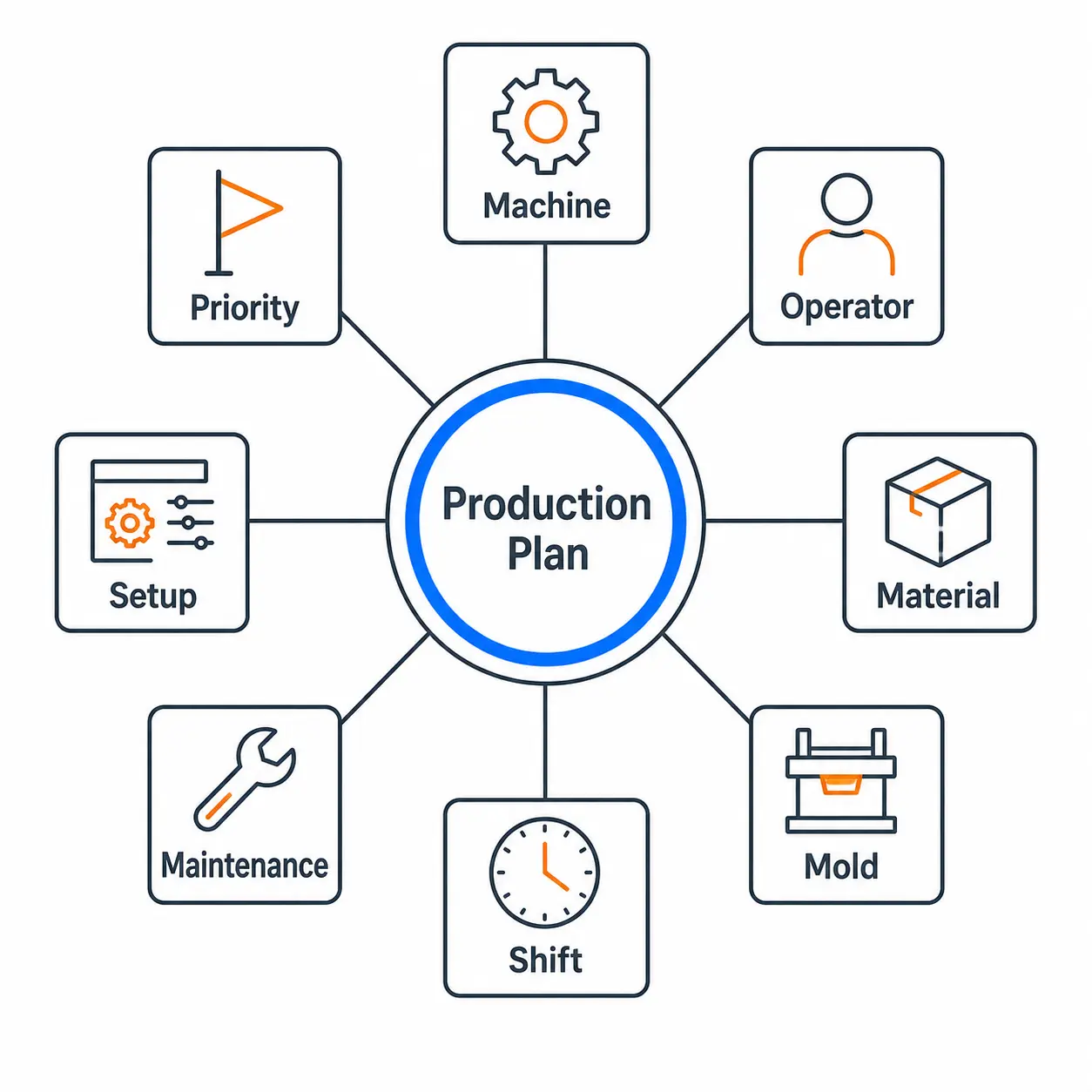
APS, or Advanced Planning and Scheduling, is a planning system that turns a production plan into an executable schedule based on real capacity, machines, people, materials, tools, molds, shifts, and priorities. Siemens defines APS as a digital solution that helps manufacturers manage production planning and shop floor scheduling, and notes that it can work with systems such as ERP and MES.
Why did APS emerge?
Because production planning is not only about answering “which product should we produce, and how many?”
The harder factory question is this:
On which machine, in which sequence, during which shift, with which operator, using which material, and by which date can we produce this order?
The question sounds simple. As the production environment becomes more complex, the answer becomes harder.
Classic planning methods become insufficient especially when:
- Different product families are produced on the same machine
- Setup and mold changeover times matter
- Orders change frequently
- Production is managed manually in Excel
- Due dates are missed often
- ERP appears to show capacity, but the plan does not work on the floor
- Sales, production, and planning teams work with different data
APS is used to make this complexity more visible, measurable, and manageable.
What does APS do?
In its simplest form, APS is a decision support system.
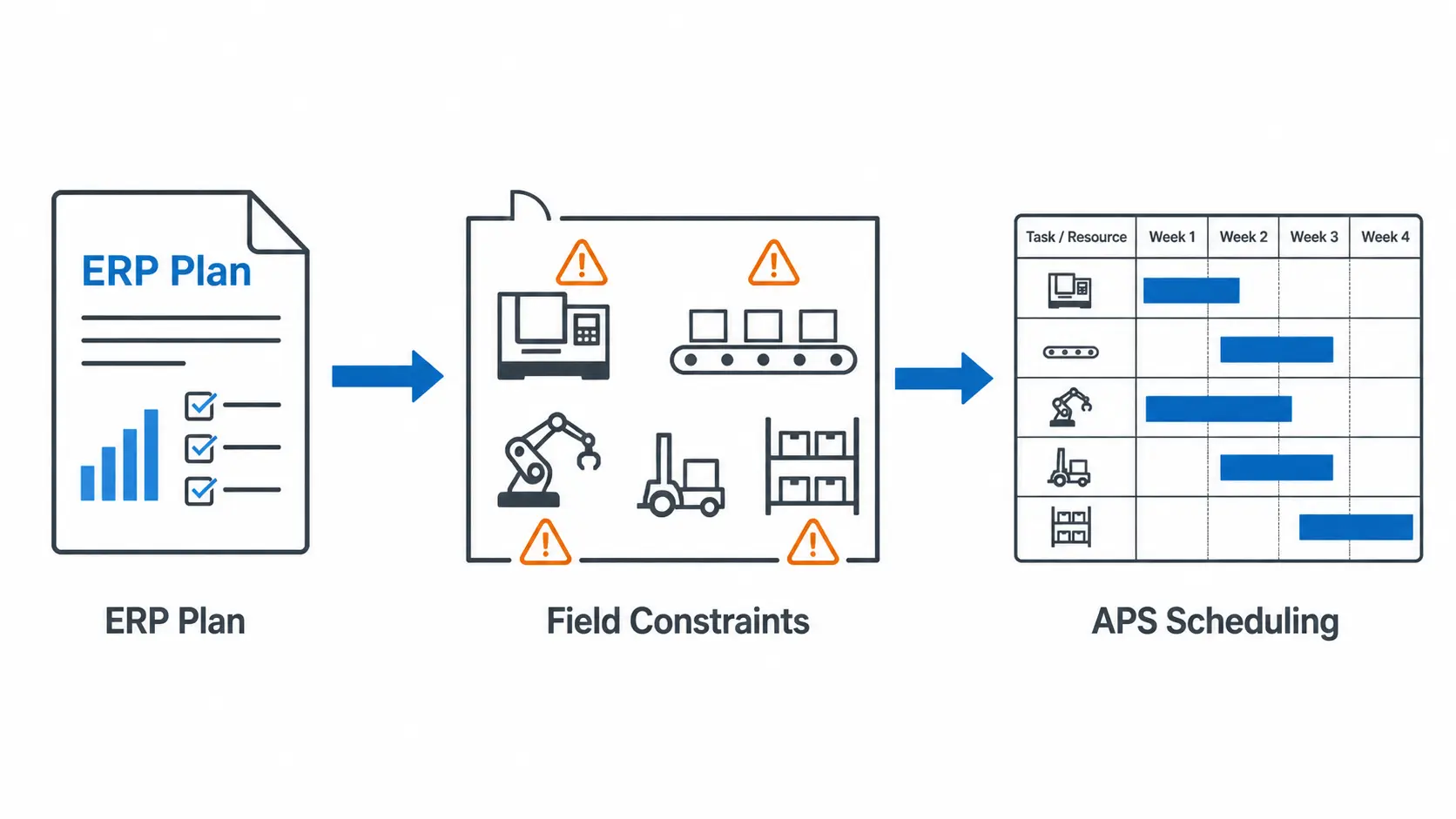
ERP shows orders, inventory, bills of materials, routings, and work orders. APS takes this data and searches for the answer to one question:
What is the most realistic production plan under current conditions?
An APS system usually supports teams in these areas:
- Assigns production orders to resources.
- Considers machine, labor, tool, mold, and material constraints.
- Creates schedules based on finite capacity.
- Makes bottlenecks visible.
- Visualizes the plan through a Gantt chart.
- Recalculates the plan when urgent orders or machine breakdowns occur.
- Tests scenarios such as “If we accept this order, will current due dates be affected?”
Are APS and ERP the same thing?
No. This is one of the most common confusions we see in Turkey.
ERP is highly valuable. It is the factory’s main system of record. It manages orders, inventory, purchasing, finance, work orders, bills of materials, and routings.
But having a production module in ERP does not always mean that ERP performs detailed production scheduling based on finite capacity.
APS focuses on a narrower but deeper problem: planning when, in which sequence, and with which resources production will happen.
| System | Main role |
|---|---|
| ERP | Manages orders, inventory, purchasing, finance, work orders, and master data. |
| MRP | Calculates material requirements and procurement timing. |
| MES | Tracks shop floor execution, downtime, and performance. |
| APS | Creates executable production plans and schedules based on capacity, material, and resource constraints. |
In short:
ERP is the factory’s system of record. APS is the factory’s planning and decision system.
Why does finite capacity planning matter?
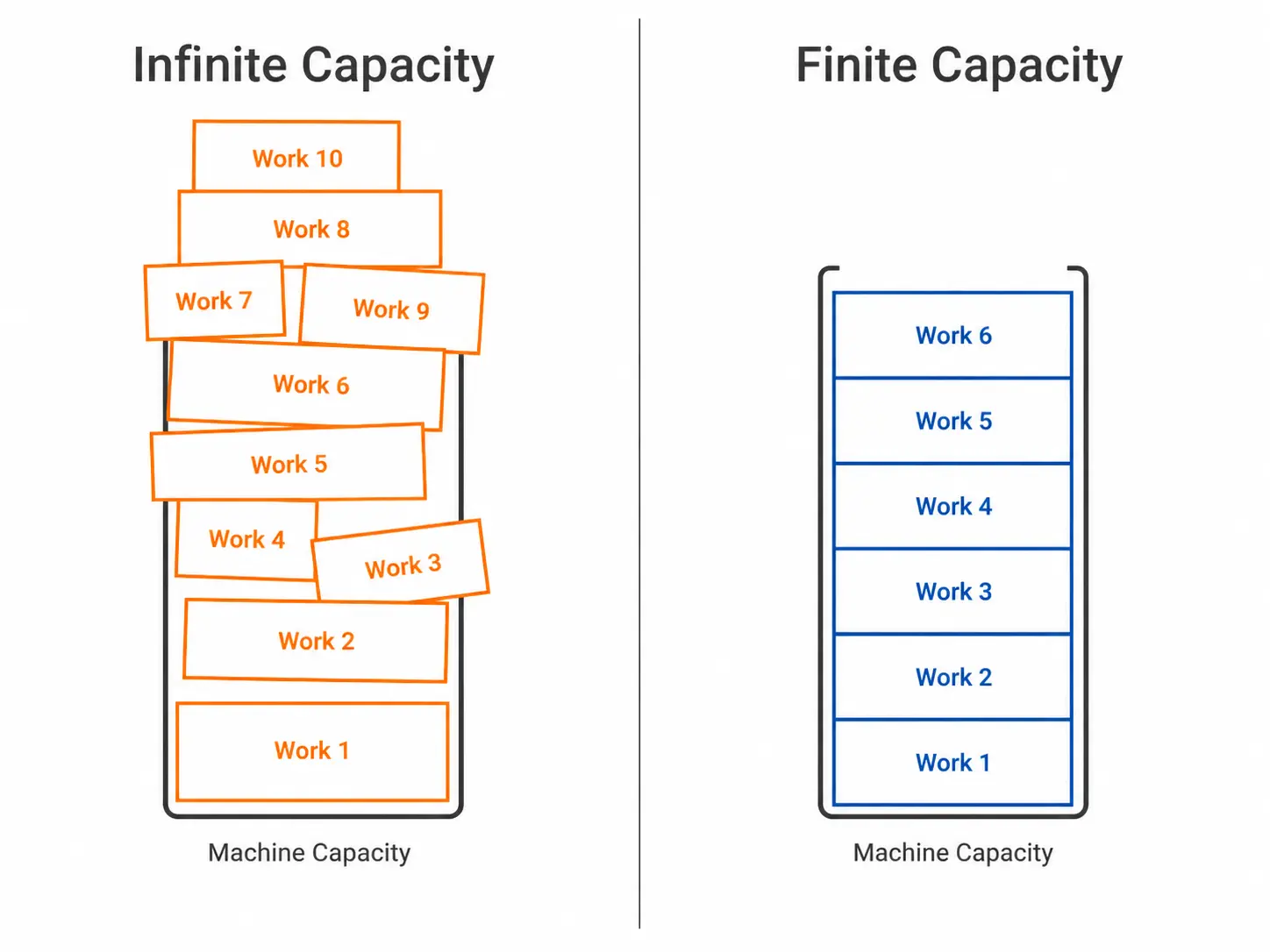
Many production plans work on paper because capacity is treated as infinite.
In real life, capacity is not infinite.
A machine cannot do two jobs at the same time. A mold cannot be used on two different lines at once. An operator cannot be in three production cells during the same shift. A product cannot ship before quality control is completed.
Finite capacity planning builds the production plan around these realities.
This helps the planning team answer not only “what will be produced?” but also “is this plan actually executable?”
What does APS bring to a factory?
The purpose of APS is not only to show a nice Gantt screen.
The real goal is to make planning decisions faster and more reliable.
A well-designed APS system helps a factory in these areas:
- Improves due date performance.
- Reduces planning time.
- Shows bottlenecks earlier.
- Makes overtime needs more visible.
- Improves machine and labor utilization.
- Helps reduce unnecessary WIP and semi-finished inventory.
- Allows sales and production teams to discuss the same operational reality.
- Simulates the impact of urgent orders on the current plan.
A simple example: there are 10 machines, but are there really 10 machines?
Imagine a plastic injection factory.
The factory has 10 machines. At first glance, capacity looks high.
But a certain product can only be produced on 2 machines. The required mold is unique. Raw material exists, but it needs drying time. After production, quality control is required. There is also a 2-hour setup during machine changeover.
In this case, saying “we have 10 machines” does not fully describe reality.
APS answers questions such as:
- Which machines can actually produce this product?
- When is the mold available?
- How should setup time be reflected in the plan?
- Will current order due dates be affected?
- If this order is moved forward, which order will be delayed?
- Would an alternative sequence produce a better result?
These answers can also be found in a manual Excel plan. But it takes time, depends on specific people, and forces the team to start over when something changes.
This is where APS makes the difference: it does not only create the plan; it helps you rethink the plan when conditions change.
When does a factory need APS?
Not every factory needs APS. In very simple, low-variability production environments with few resources, manual planning may be enough.
But if the following signs appear often, APS should be seriously considered:
- The plan constantly changes in Excel
- Production meetings turn into “which job goes first?” discussions
- Due dates promised by sales are frequently revised by production
- There is a plan in ERP, but another plan is executed on the floor
- Bottlenecks are noticed only after delays happen
- Deliveries are late despite overtime
- Planning, production, and sales give different answers for the same order
At this point, APS is not only a software investment. It is a step toward a more data-driven production planning culture.
Conclusion: APS does not replace ERP; it complements it
This is the most important point for understanding APS correctly:
APS is not an ERP competitor. It is a specialized system that fills the production planning gap around ERP.
ERP manages orders, inventory, and work orders. MES tracks what happens on the shop floor. APS makes the production plan more executable by considering real capacity and constraints.
Factories today do not win only by producing more. Planning better, deciding faster, and adapting to change quickly are just as important as production capacity.
That is why APS matters.
Because a good production plan is not only the plan visible on a screen.
A good production plan is the one that can be executed on the floor.
Frequently Asked Questions
What is APS?
APS stands for Advanced Planning and Scheduling. It creates production plans by considering constraints such as capacity, material, machines, operators, molds, tools, and shifts.
What is the difference between APS and ERP?
ERP manages core company processes such as orders, inventory, purchasing, finance, and work orders. APS plans in detail which production orders will be produced, in what sequence, on which resources, and when.
Which factories are a good fit for APS?
APS is especially useful for factories with many products, frequent order changes, machine and mold constraints, due date pressure, and difficulty managing production plans in Excel.
Is ERP required to use APS?
APS often works integrated with ERP, but it can also be used independently. For best results, data such as orders, inventory, bills of materials, routings, and operation times should be organized.
What is the biggest benefit of APS?
Its biggest benefit is making the production plan more realistic and executable. This improves due date performance, resource utilization, planning speed, and adaptability to change.