What Is the Difference Between APS and ERP?

When production planning is discussed in many factories, a similar sentence often comes up:
“We already have ERP. Why would we need APS as well?”
This is a natural question. ERP systems are the operational backbone of companies. Orders, inventory, purchasing, work orders, bills of materials, routings, and financial records are often managed through ERP. When such a central system exists, the need for another planning tool may not be obvious at first.
But as you move closer to the shop floor, the picture changes.
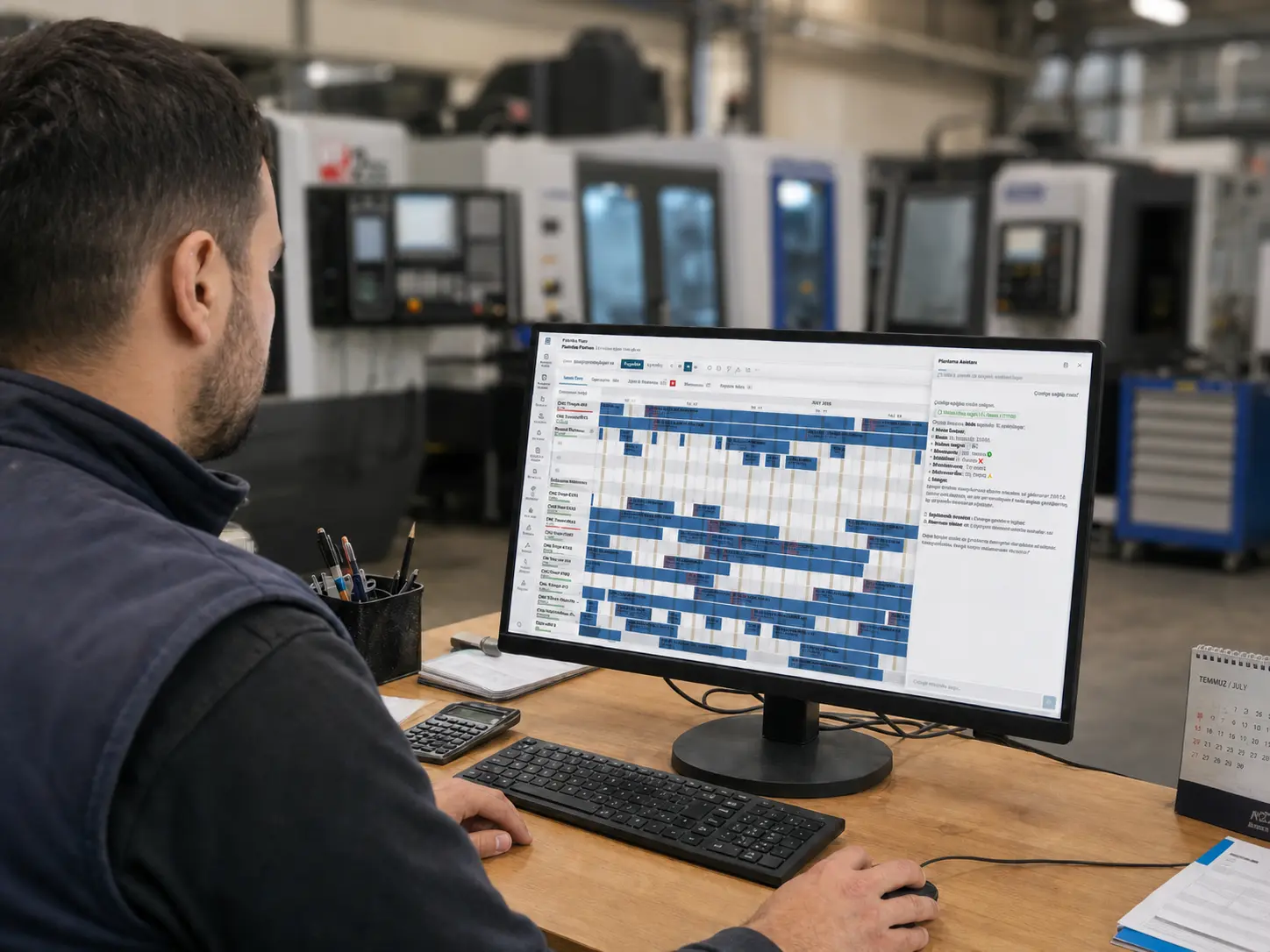
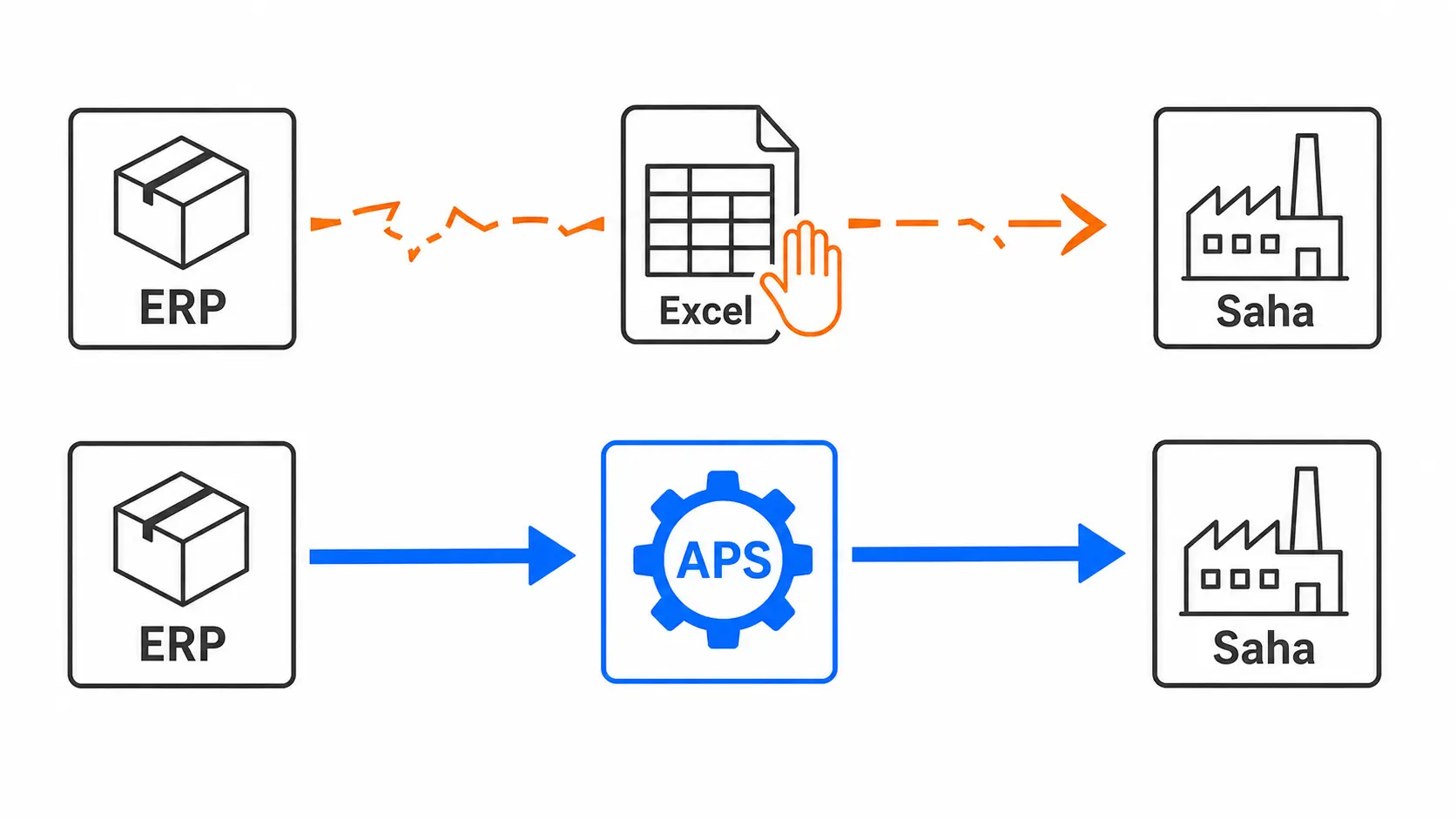
ERP contains work orders, but it does not always make it clear which job should run on which machine, in which sequence, with which operator, during which shift, and under which constraints. Planning teams often move ERP data into Excel, production managers change priorities according to shop floor reality, and sales teams wait for additional production approval before committing to due dates.
This is exactly where the difference between APS and ERP appears.
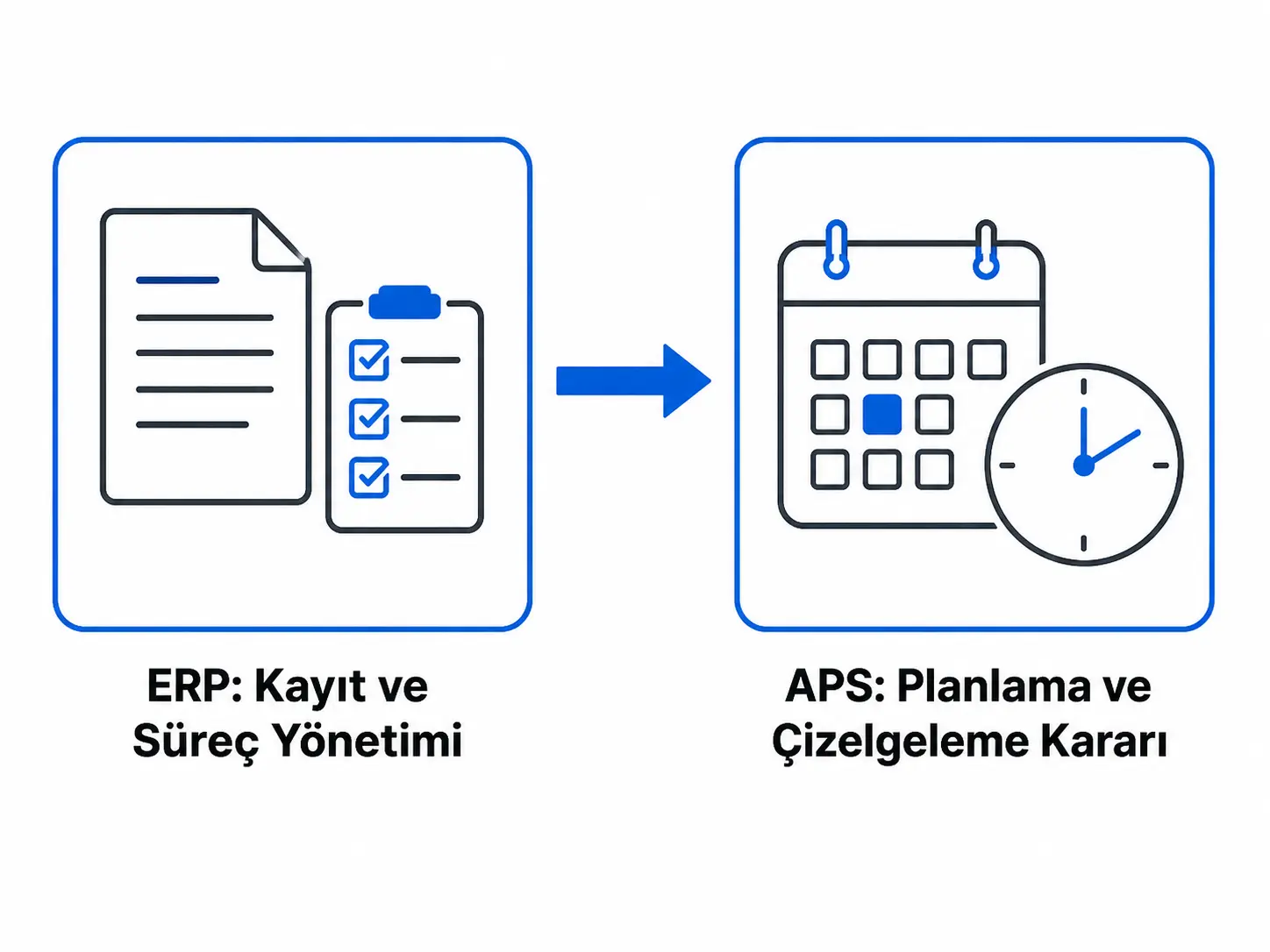
ERP is the factory’s system for records and process management. APS is the advanced planning and scheduling system that turns the production plan into an executable schedule based on real capacity and constraints.
What does ERP do?
ERP, or Enterprise Resource Planning, aims to bring different departments under a single data structure. It helps manage sales, purchasing, inventory, production, finance, accounting, quality, and logistics through one shared system.
In a manufacturing company, ERP usually manages:
- Customer orders
- Purchase requests
- Inventory movements
- Bills of materials
- Production routings
- Work orders
- Warehouse processes
- Cost and financial records
- Invoicing and shipment processes
That is why ERP is essential for a manufacturing company. Without a properly designed ERP, it is difficult to track the core process from order to shipment in a healthy way.
However, ERP and APS are strong in different areas. ERP organizes data, records processes, and creates a common information layer between departments. APS uses this data to produce more detailed decisions for production planning.
In other words, ERP answers questions such as “which order exists, which product will be produced, and which material is needed?” APS focuses on “when and in which sequence can this order realistically be produced with current capacity?”
The core difference between APS and ERP
The easiest way to understand the difference between APS and ERP is to think of the two systems as playing different roles in the same production process.
ERP manages a wide area, from order entry and inventory control to purchasing and work order creation. APS takes the data produced in ERP and turns it into a schedule that can be executed on the shop floor.
ERP is broader in scope. APS goes deeper in production planning.
| Topic | ERP | APS |
|---|---|---|
| Main role | Manages company processes and records. | Creates production plans and schedules. |
| Focus | Orders, inventory, purchasing, work orders, finance, and master data. | Capacity, resources, shifts, constraints, and due dates. |
| Planning approach | Usually supports planning at a more general level. | Performs detailed scheduling based on finite capacity. |
| Capacity evaluation | May handle capacity with limited detail. | Considers constraints such as machines, people, molds, tools, and shifts. |
| Change management | Records the change. | Calculates the impact of the change on the production plan. |
| Users | Finance, purchasing, sales, warehouse, production, and management teams. | Planning, production, operations, and capacity management teams. |
| Main output | Work orders, inventory records, order status, financial records. | Gantt schedule, production sequence, capacity load, due date impact. |
To summarize this table in one simple sentence:
ERP records what needs to be done; APS plans how, when, and in which sequence it should be done.
Why does planning remain in Excel even when ERP exists?
In many factories, production planning is still managed in Excel even though an ERP system exists. This does not mean ERP has no value. On the contrary, ERP usually provides the required data, but the production scheduling problem is often more detailed than standard ERP planning capabilities.
Planning teams usually take work orders from ERP and then make manual adjustments to account for shop floor realities. A work order may appear open in ERP, but the machine may be under maintenance. The required mold may be used by another order. Material may appear in stock but may still be waiting for quality approval. Operator shifts may have changed.
When these details affect the plan, the planning team leaves the ERP screen and starts creating alternatives in Excel. At first, this method feels fast and practical, but as production grows, the Excel plan becomes fragile. When the plan changes, not only one row but many connected orders, operations, resources, and due dates are affected.
This is where APS enters. Instead of manually moving the production plan line by line, APS creates a more holistic schedule by considering constraints and priorities.
The finite capacity planning difference
One of the most important topics that separates APS from ERP is finite capacity planning.
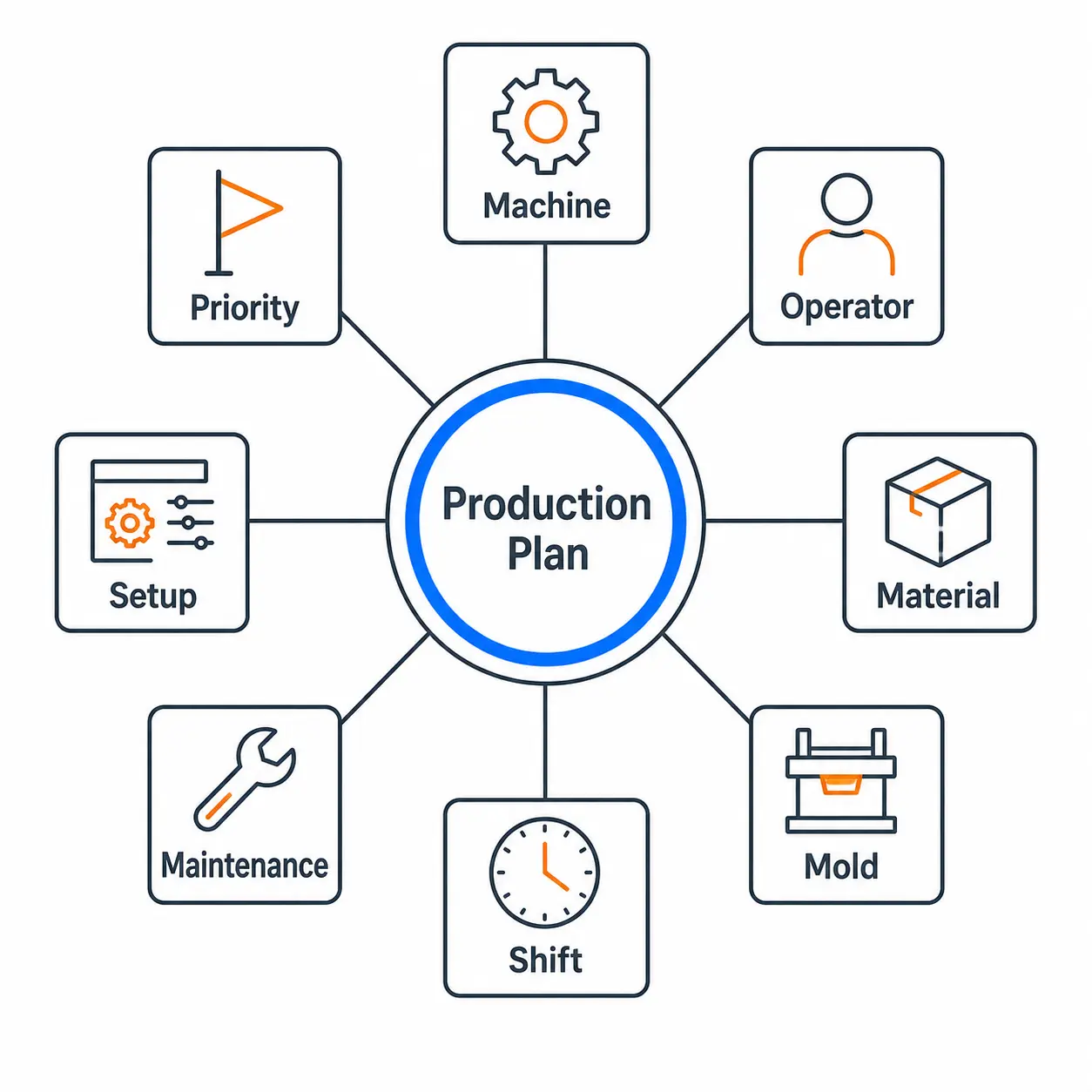
In real production, no resource is unlimited. A machine cannot produce two different jobs at the same time. An operator cannot work full time on two separate lines during the same shift. A single mold cannot be used for two orders at once. When setup time is ignored, a plan that looks possible on paper starts to slip on the floor.
Finite capacity planning creates the production schedule according to these realities.
Assume a factory has an 8-hour shift and a machine is assigned 11 hours of work for the same day. This may not be obvious at first glance in ERP or in a manual table. But on the shop floor, all those jobs cannot be completed that day. The result is overtime, postponed jobs, or a due date at risk.
APS makes these conflicts visible during planning. This helps the planning team manage the problem before production starts, not after delays occur.
A simple example of the APS and ERP difference
Imagine an automotive supplier. A new customer order arrives and a production order needs to be created.
On the ERP side, the process may look like this:
- The order is entered into the system.
- The bill of materials is checked.
- Material requirements are calculated.
- Inventory and purchasing needs are visible.
- The production order is created.
Up to this point, ERP has done its job. But from a production planning perspective, questions remain:
- Which line will run this job?
- Is there a suitable shift on that line?
- Is the required fixture or mold available?
- Are there higher priority jobs waiting on the same line?
- If this order is moved forward, which order will be delayed?
- Would changing the setup sequence reduce total production time?
- Can the promised customer due date really be met?
These questions belong to APS. APS combines orders, routings, bills of materials, and inventory data from ERP with production constraints. Then it creates an executable production schedule and gives planners a clearer decision basis.
The difference here is critical. ERP knows that the job exists; APS calculates under which conditions the job can be done.
When does the need for APS appear?
To understand whether a factory needs APS, it is not enough to look only at the ERP system. The real question is how production planning works in daily life.
If the following situations happen often, it makes sense to evaluate APS in addition to ERP:
- The production plan is managed mostly in Excel rather than ERP
- The planning team edits the same schedule again and again every day
- Sales waits for manual production approval before promising due dates
- Machine, operator, mold, or tool constraints frequently disrupt the plan
- Urgent orders constantly change the production sequence
- Deliveries are delayed despite overtime
- Bottlenecks are noticed only after production is disrupted
- Work orders look correct in ERP, but the shop floor follows a different plan
These signs show that the problem is not only about record keeping or data entry. The real need is a planning structure that can make production decisions more realistically and faster.
What is gained when ERP and APS work together?
When ERP and APS work together, the factory’s planning approach becomes more complete. ERP provides master data and operational records; APS uses this data to improve the executability of the production plan.
Together, they help:
- Make planning less dependent on specific people.
- Make production sequence more visible.
- Detect capacity conflicts earlier.
- Give sales teams more realistic due date information.
- Help production managers see bottlenecks in advance.
- Calculate the impact of plan changes faster.
- Help management make healthier decisions about capacity, due dates, and performance.
This difference becomes more visible in growing manufacturing companies. As order volume, product variety, production resources, and customer expectations increase, relying only on experience and manual spreadsheets becomes riskier.
Frequently Asked Questions
Are APS and ERP the same thing?
No. ERP manages orders, inventory, purchasing, work orders, finance, and master data. APS plans which resources production orders should use, in which sequence, and when.
Why is APS needed when ERP has a production module?
An ERP production module can manage work orders and production master data. But detailed scheduling that considers machine, operator, mold, shift, setup, and due date constraints may require a specialized planning structure such as APS.
Does APS replace ERP?
No. APS does not replace ERP. ERP continues to manage master data and processes, while APS turns that data into production planning and scheduling decisions.
Is ERP required to use APS?
APS usually works better when integrated with ERP, because orders, inventory, bills of materials, routings, and work orders can be received from ERP. But the key point is not only the presence of ERP; the data must be accurate, current, and aligned with production reality.
Which factories are better suited for APS?
APS is more suitable for factories with many products, frequent order changes, machine or mold constraints, due date pressure, and difficulty sustaining planning with manual methods.
What does ERP and APS integration provide?
ERP and APS integration helps transfer orders and master data to the planning system more regularly. This allows the production schedule to be created with more current data and makes the impact of plan changes visible faster.